TwistedWave Online
Free online audio editor
Record and edit audio right in your web browser, with nothing to install. Try it below, then create a free account to keep your files.
Works in Chrome, Firefox, Safari and Edge.
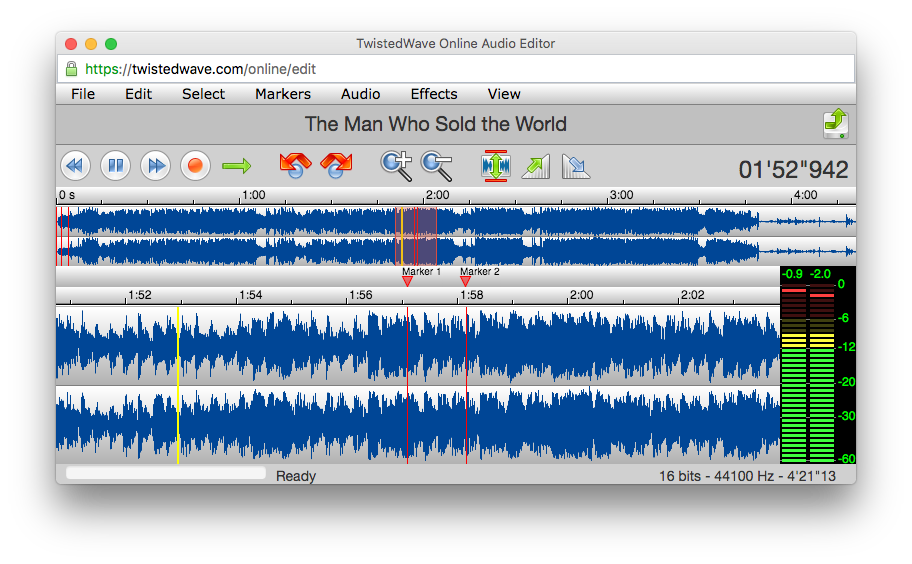
In your browser
Everything you need to edit audio
Select part of the waveform and edit it with the commands you would expect from an audio editor.
Edit
Cut, copy and paste, delete with a crossfade, crop, insert silence and trim silences.
Adjust levels
Amplify, normalize, fade in and fade out, on the whole file or just the part you select.
Clean up recordings
Remove background noise and DC offset, and tame harsh “s” sounds with a de-esser.
More than 150 effects
A graphic equalizer, pitch and speed changes, and the Airwindows and mda collections of VST effects.
Record
Record from your microphone or any other audio input, right in the browser.
Markers
Mark the places that matter in a recording and jump back to them.
Your files
Open and save many formats
Audio
Upload a file from your computer, or import one from Google Drive, SoundCloud or a URL. When you are done, download it in the format you need, or send it to Google Drive or SoundCloud.
- MP3
- WAV
- FLAC
- AIFF
- AAC
- Ogg Vorbis
- Opus
- WavPack
- Wave64
- CAF
- MP2
- AU
Video
Open a movie and the picture plays along with the waveform. Edit the sound, then save the movie with your changes. How video sync works
- MP4
- MOV
- M4V
- MKV
- WebM
Nothing to save
Your work is saved as you go
Your audio is stored and processed on our servers, so there is no file to save when you are done.
Open it anywhere
Close the browser window and pick up where you left off, on any computer.
Undo all the way back
Each file keeps its complete undo history, even after you close it.
Download any time
Save a copy to your computer in the format you need, whenever you want one.
Plans
Start free, upgrade when you need more
A free account lets you edit mono files up to 5 minutes long. A subscription raises the limits.
Free
$0
No subscription
- Mono
- 16-bit, 48 kHz
- Files up to 5 minutes
- 1 hour of storage
Basic
$5/month
or $50/year
- Stereo
- 16-bit, 48 kHz
- Files up to 20 minutes
- 10 hours of storage
Advanced
$10/month
or $100/year
- Stereo
- 24-bit, 96 kHz
- Files up to 1 hour
- 20 hours of storage
Pro
$20/month
or $200/year
- Multichannel
- 32-bit, 192 kHz
- Files up to 4 hours
- 40 hours of storage
Video editing is an add-on to any paid plan. Compare the plans
Questions
Frequently asked questions
Is TwistedWave Online free?
Yes. A free account lets you edit mono files up to 5 minutes long. The paid plans add stereo, higher quality, longer files and more storage.
Do I need to install anything?
No. TwistedWave Online runs in Chrome, Firefox, Safari and Edge, on Windows, Mac, Linux and Chromebooks.
Can I use it on a phone or an iPad?
TwistedWave Online is not made for phones and tablets. On an iPhone or an iPad, use the TwistedWave app instead.
Where are my files kept?
In your TwistedWave account, on our servers, so you can open them from any computer and download them whenever you need.
Is there a desktop version?
Yes. TwistedWave is also available for Mac and Windows, and for iPhone and iPad.
Start editing in your browser
A free account keeps your files and their undo history, ready on any computer.